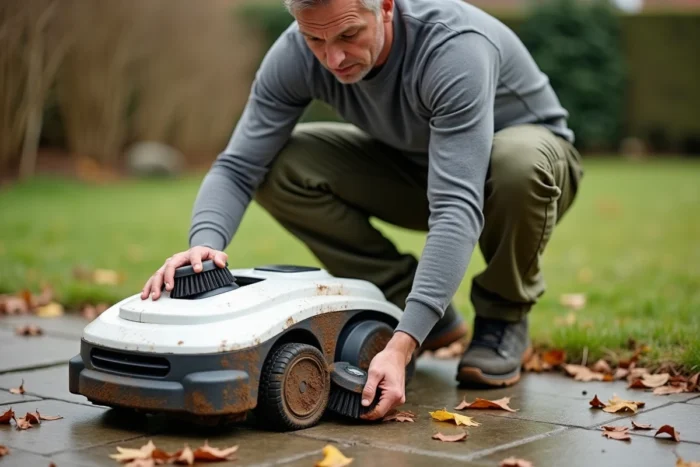
A robotic lawn mower left outside in the November rain, with a dead battery and clogged blades, is the kind of situation that turns a spring restart into an obstacle course. We’ve all seen a neighbor struggling with a device that refuses to connect after five months of neglect. The winter preparation of a robotic lawn mower involves a few precise actions, but each has its pitfalls.
Lithium-ion battery and winter storage: keeping the cells preserved
The battery remains the most sensitive component during winter downtime. Storing the battery between 50 and 70% charge limits the chemical aging of lithium-ion cells. A battery left at zero for several months risks not accepting a charge come spring. Conversely, keeping it fully charged accelerates degradation.
We remove the battery from the robot if the model allows it, then store it in a dry place where the temperature stays above freezing. A heated garage, a pantry, or a laundry room will do. Feedback on this point varies by brand, but most manufacturers strongly advise against outdoor storage, even under shelter.
Before knowing exactly when and how to winterize a robotic lawn mower, we check the residual voltage of the battery via the robot’s app or the onboard screen. A partial recharge cycle every six to eight weeks during winter keeps the cells in good condition on models that allow it.

Cleaning the chassis and blades before winter storage
Dried grass under the deck forms a compact crust that retains moisture. Over several months, this moisture attacks screws, wheel axles, and the cutting disc. We turn the robot over (after cutting the power) and remove the residues with a dry brush or a plastic tool. No high-pressure water jets: the seals of the sensors are not all designed to withstand this type of cleaning.
The blades deserve special attention. We remove them one by one to check their condition.
- A dull or bent blade should be replaced; there’s no need to sharpen it on most models with pivoting micro-blades.
- The screws securing the blades may be weakened after a full season; we inspect them and replace those that show play.
- A lightly oiled cloth passed over the cutting disc protects the metal from oxidation during storage.
Also clean the sensors and charging contacts with a dry cloth. Oxidized contacts prevent the recognition of the station in spring, leading to difficult-to-diagnose startup errors.
Charging station and perimeter wire: what we often forget
The charging station remains exposed to the elements if not brought inside. On perimeter wire models, the station is connected to the low-voltage transformer, which is plugged into an outdoor outlet. Unplugging the transformer and storing it in a dry place prevents any electrical degradation related to moisture or frost.
For the station itself, there are two options. Either we disassemble it and store it indoors, or we leave it in place but protect it with a breathable tarp. The first option is preferable: winter UV rays and freeze-thaw cycles damage plastics and connectors.
Perimeter wire and guiding stakes
The buried cable poses no particular problem. However, if the wire is laid on the surface or held by stakes, we check that nothing has shifted before leaving it for the winter. A wire lifted by frost can snap come spring under the weight of the robot. We note fragile areas (edges, vehicle crossings) to check them first when resuming service.
RTK robots and vision navigation: recalibration after winter storage
Recent models without perimeter wire (RTK, LiDAR, cameras) pose a problem that older robots did not have. A prolonged shutdown can lead to the loss of navigation maps stored in local memory. Feedback from installers in 2025-2026 confirms that some robots require a complete remapping after several months without power.
To limit this risk, we can power the robot on once a month, even briefly, so that the system retains its reference data. This is also an opportunity to check if a firmware update is available. Manufacturers like Husqvarna, Navimow, or Mammotion release OTA patches even in the off-season.
- Before winter storage, export the navigation map via the app if the model allows it.
- During winter, a monthly power-up preserves calibration data.
- In spring, plan a remapping session if the robot has been completely powered off for more than three months.
Some specialized retailers keep robots plugged in periodically in the workshop during winter to apply firmware updates before resuming service. This avoids compatibility issues with mobile applications updated in the meantime.
Storage location for the robotic lawn mower: conditions to respect
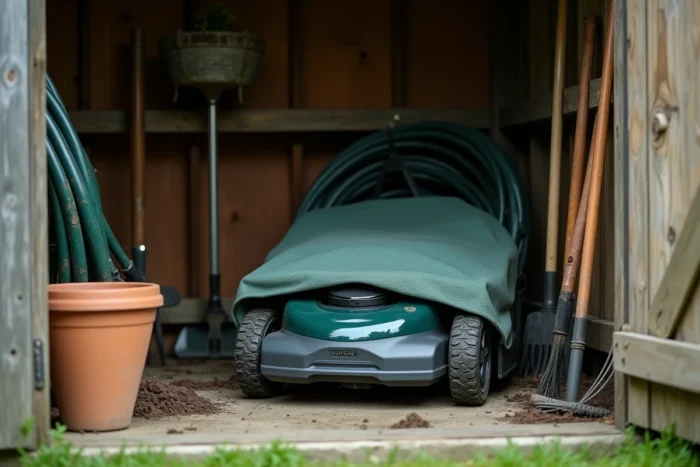
The robot should be stored in a closed space, protected from frost, stagnant moisture, and dust. A room with a temperature between 5 and 20 °C is perfect. We avoid overheated attics in summer and uninsulated sheds where condensation forms at night.
We place the robot on a clean surface, ideally on thick cardboard or a board, to insulate the chassis from the cold ground. The wheels should not remain compressed on a single support point for months, as this could deform the soft tires.
The winter season can also be used to reprogram the mowing schedules for the following season. Remove nighttime mowing, define unmowed refuge strips for biodiversity, adjust the cutting height: we set everything calmly rather than in the rush of the first nice day in March.
A well-winterized robotic lawn mower restarts in a few minutes. A neglected robot may require several hours of diagnostics or even a trip to the workshop. The difference comes down to half an hour of attention in the fall.